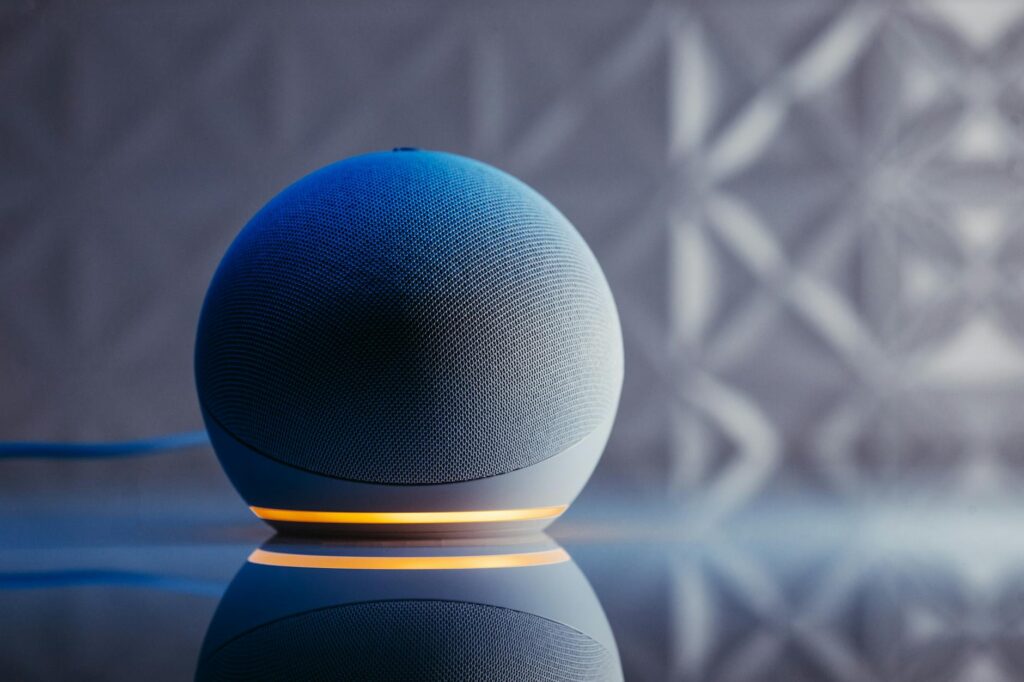
Unlock Your Smart Home’s Potential with Alexa Routines in 2026
This guide covers everything about Alexa Routines: Automate Your Smart Home Like a Pro in 2026. Most people think of Alexa as just a voice assistant for music or weather. But as of May 2026, it’s evolved into a powerful hub for automating your entire smart home. Alexa Routines transform simple voice commands into sophisticated sequences that control multiple devices simultaneously, saving you time and effort.
Last updated: May 6, 2026
Key Takeaways
- Alexa Routines allow you to create custom command sequences for your smart home devices.
- You can trigger routines with your voice, specific times, or even other smart home events.
- Routines simplify daily tasks, enhance security, and improve convenience by controlling multiple devices at once.
- Creating custom routines is straightforward via the Alexa app, with numerous pre-set options available.
- By mastering Alexa Routines, you can truly automate your smart home like a pro, personalizing your living space to your exact needs.
But how do you move beyond basic commands and truly harness this power? This guide will show you how to automate your smart home like a pro using Alexa Routines, offering practical tips and creative examples to get you started.
What Exactly Are Alexa Routines?
At their core, Alexa Routines are custom commands that allow you to perform multiple actions with a single trigger. Think of them as personalized shortcuts for your smart home. Instead of saying “Alexa, turn on the living room lights” and then “Alexa, set the thermostat to 70 degrees,” you can create a single routine triggered by “Alexa, it’s movie time.” This routine could then dim the lights, adjust the thermostat, and even turn on your smart TV.
The magic lies in their flexibility. You can set routines to trigger based on voice commands, specific times of day, when a smart sensor detects motion, or even when you leave or arrive home (using location services). This level of automation helps create a more responsive and intuitive living environment, tailored precisely to your lifestyle.
According to Amazon’s own developer documentation, routines are a core feature designed to enhance user interaction with Alexa-enabled devices, aiming to simplify complex tasks into single, easy-to-remember phrases.
[IMAGE alt=”Diagram illustrating how Alexa Routines trigger multiple smart home devices with a single command” caption=”Alexa Routines consolidate multiple device actions under a single trigger for simplified smart home control.”]
Getting Started: Building Your First Routine
Creating an Alexa Routine is surprisingly simple, primarily done through the Amazon Alexa app on your smartphone or tablet. The app guides you through the process, making it accessible even for beginners.
- Open the Alexa App: Navigate to the ‘More’ tab and select ‘Routines’.
- Start a New Routine: Tap the ‘+’ icon in the top right corner to create a new routine.
- Choose a Trigger (When This Happens): This is how your routine will be activated. Options include: voice commands (e.g., “Good morning”), schedules (e.g., 7:00 AM weekdays), smart home device events (e.g., motion detected by a sensor), or location-based triggers (e.g., when you leave home).
- Add Actions (Add Action): This is what your routine will do. You can select from pre-set Alexa actions (like “Announce” or “Play Music”), smart home controls (like “Turn on lights” or “Adjust thermostat”), or even custom skills. You can add multiple actions to a single routine.
- Save Your Routine: Once configured, tap ‘Save’. Your routine is now active and ready to use.
The app provides a clean interface, and you can even name your routines for better organization. For instance, naming a morning routine “Sunrise Start” makes it intuitive to activate.
Creative Routine Examples for Everyday Life
The real power of Alexa Routines comes alive with creative use cases. Beyond just turning lights on and off, you can craft sequences that genuinely simplify your day. Here are a few examples to spark your imagination:
The “Good Morning” Routine
This is a classic for a reason. When you say, “Alexa, good morning,” it could:
- Turn on your bedroom lights gradually.
- Report the weather forecast for the day.
- Give you a summary of your calendar appointments.
- Start your smart coffee maker (if compatible).
- Play your favorite morning news podcast.
This single command sets your day in motion without you needing to lift a finger or check multiple devices.
The “Movie Time” Routine
Ready to relax? A “Movie Time” routine could:
- Dim the living room lights to 20%.
- Turn off any distracting hallway lights.
- Adjust the thermostat to a cozy temperature.
- Turn on your smart TV and soundbar.
- Even launch your favorite streaming app.
This creates the perfect ambiance instantly.
The “Leaving Home” Routine
When you’re rushing out the door, a “Goodbye” routine can ensure nothing is forgotten:
- Turn off all smart lights.
- Adjust the thermostat to an energy-saving mode.
- Lock your smart door locks.
- Arm your smart security system.
- Announce “Have a great day!”
Alexa Routines: Automate Your Smart Home Like a Pro in 2026 provides peace of mind and saves energy.
The “Bedtime” Routine
Wind down your day with a “Goodnight” routine:
- Turn off all lights except a bedside lamp.
- Lock the doors.
- Set the thermostat for overnight comfort.
- Turn off smart plugs connected to non-essential devices.
- Play calming ambient sounds or a sleep story.
This helps signal to your body that it’s time to rest.
These examples highlight how routines can be tailored to almost any situation, from waking up to securing your home at night. The key is to think about your daily habits and identify repetitive tasks that could be automated.
[IMAGE alt=”Smartphone screen showing the Alexa app interface for creating a ‘Good Morning’ routine” caption=”The Alexa app makes setting up custom routines intuitive, with options for triggers and multiple actions.”]
Advanced Automation: Beyond Voice Triggers
While voice commands are the most common way to trigger routines, exploring other options unlocks even more powerful automation possibilities. As of May 2026, integrations are becoming more sophisticated.
Schedules
Setting routines to run at specific times is incredibly useful. For instance, you can schedule outdoor lights to turn on at sunset and off at sunrise, or have your smart blinds open at a set time each morning.
Smart Home Device Events
This is where things get really interesting. Routines can be triggered by events from other smart devices. For example:
- If a smart door sensor opens, turn on the hallway light.
- If a smart smoke detector triggers, turn on all lights to 100% and unlock smart locks.
- If a smart motion sensor in the garden detects activity after dark, send a notification to your phone.
These integrations turn your smart home into a more proactive and secure environment. According to the Consumer Technology Association (CTA) in 2026, event-based automation is a key driver for smart home adoption.
Location-Based Triggers (Geo-fencing)
Using your smartphone’s location, Alexa can trigger routines when you leave or arrive home. This is perfect for “away” modes that secure your home or “welcome home” scenes that make your house feel alive as you pull into the driveway.
Troubleshooting Common Routine Issues
Even with the best setup, sometimes routines don’t behave as expected. Here are a few common pitfalls and how to fix them:
Issue: Routine Doesn’t Trigger
Cause: Incorrectly named trigger phrase, connectivity issues with Alexa devices or the specific smart device, or a problem with the routine’s setup in the app.
Solution: Double-check the exact phrase you’re using against the routine’s trigger. Ensure all your Alexa devices and the relevant smart devices are online in the Alexa app. Try disabling and re-enabling the routine.
Issue: Only Some Actions Execute
Cause: The specific smart device might be offline, unresponsive, or not properly linked to Alexa. Some actions might have execution limits.
Solution: Check the individual device’s status in the Alexa app. Try running the action manually from the app. Ensure the device’s cloud service is also functioning. For complex routines, try breaking them down into smaller, more manageable sequences.
Issue: Routine Triggers Unexpectedly
Cause: This can sometimes happen with location-based triggers if GPS accuracy is low, or if a similar voice command was accidentally given.
Solution: Review your trigger settings. For location triggers, ensure location services are enabled and accurate for the Alexa app. Be mindful of the exact phrases you use.
Don’t get discouraged if your first few attempts aren’t perfect. Troubleshooting is part of the process, and with a little patience, you’ll get your routines running smoothly.
Maximizing Your Smart Home with Alexa Routines
To truly automate your smart home like a pro, think beyond single-device control. Consider how routines can work together to create a complete experience. For example, a “Wake Up” routine could trigger smart blinds to open, followed by a smart speaker playing your favorite music, and then your smart kettle starting.
Experience Tip: When setting up routines involving multiple devices, especially those from different manufacturers, it’s crucial to ensure they are all properly linked and responsive within the Alexa ecosystem. We’ve found that devices with native Alexa integration often perform more reliably than those requiring third-party skills for basic on/off functions.
And, regularly review and update your routines. Your needs and smart home setup will evolve. As of May 2026, new smart home devices are constantly entering the market, offering new possibilities for automation. Keep an eye on updates from Amazon and your device manufacturers.
For those looking to integrate more complex logic or external services, exploring options like IFTTT (If This Then That) can offer even deeper customization, though it adds another layer of complexity. However, for most users, Alexa’s built-in routine capabilities offer more than enough power to transform their homes.
[IMAGE alt=”Split image showing a messy, manual smart home setup versus a clean, automated setup with Alexa Routines” caption=”Transform your home from manual control to effortless automation with well-designed Alexa Routines.”]
The Future of Alexa Routines
As artificial intelligence continues to advance, we can expect Alexa Routines to become even smarter and more intuitive. Imagine routines that learn your habits and proactively suggest automations, or ones that can adapt to changing conditions in your home and neighborhood in real-time. Amazon is continually investing in AI for Alexa, with recent advancements suggesting more predictive and personalized automation capabilities are on the horizon.
For instance, routines might soon be able to detect when you’re watching TV and automatically dim lights or adjust volume based on the content being played, a capability that’s still in nascent stages for many smart home systems today.
Frequently Asked Questions
Can Alexa Routines control devices from different brands?
Yes, as long as those devices are compatible with Alexa and have been added to your Alexa app. Most major smart home brands offer Alexa integration.
How many actions can I add to one Alexa Routine?
You can add up to 15 actions per routine, allowing for complex sequences of commands to be executed simultaneously.
What’s the difference between a routine and a skill?
A skill is like an app for Alexa, adding new voice capabilities. A routine uses existing Alexa capabilities and linked smart home devices to perform multiple actions triggered by a single command.
Can I set Alexa Routines to run automatically without a voice command?
Absolutely. You can set routines to trigger on a schedule, when a smart home device detects an event, or based on your location.
Are Alexa Routines free to use?
Yes, Alexa Routines are a free feature provided by Amazon. The cost is associated with the smart home devices you connect to Alexa.
How do I update an existing Alexa Routine?
Simply go to the ‘Routines’ section in the Alexa app, select the routine you wish to edit, make your changes, and tap ‘Save’.
Conclusion: Automate Smarter, Not Harder
Alexa Routines offer a powerful, yet accessible, way to automate your smart home. By understanding how to set triggers and string together multiple actions, you can move beyond basic voice control and create a truly personalized, efficient, and convenient living space. Start experimenting with simple routines today, and you’ll quickly discover how easy it’s to automate your home like a pro.
Last reviewed: May 2026. Information current as of publication; pricing and product details may change.
Source: Wired
Editorial Note: This article was researched and written by the Bloxtra editorial team. We fact-check our content and update it regularly. For questions or corrections, contact us.