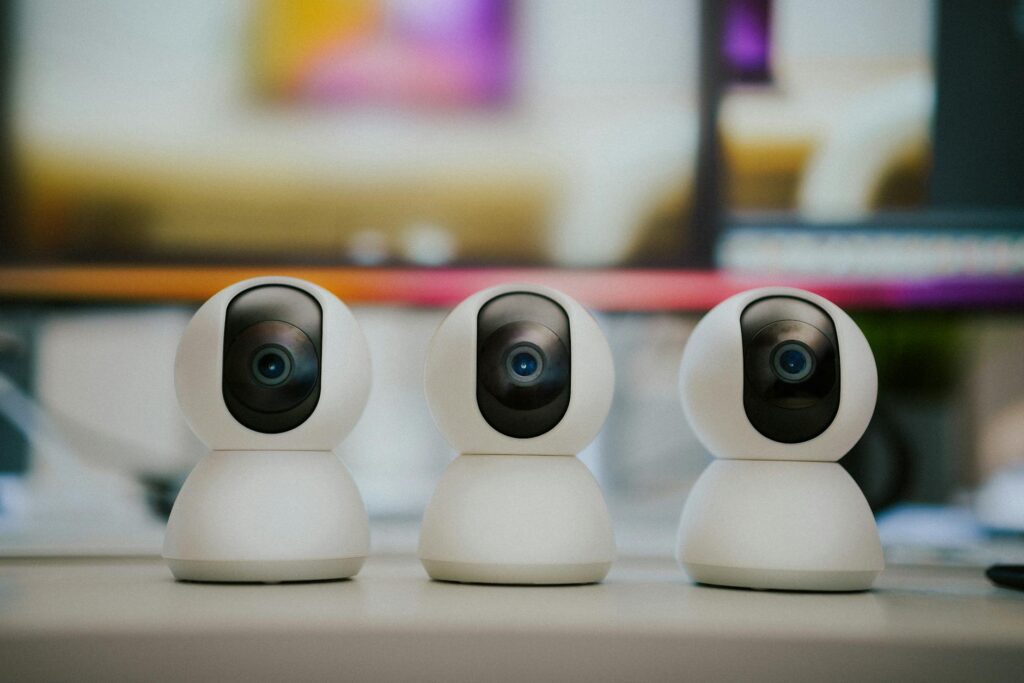
The Ultimate Guide to Smart Home Security Systems in 2026
This guide covers everything about Smart Home Security Systems in 2026: Your Ultimate Guide. Choosing the right smart home security system in 2026 is more accessible and complete than ever before. These systems blend advanced technology with user-friendly interfaces to offer strong protection, remote monitoring, and smooth integration into your daily life.
Most homeowners today are looking for a solution that provides not just security, but also convenience and peace of mind. But with so many options, finding the perfect fit can feel overwhelming. This guide breaks down what you need to know as of May 2026 to make an informed decision.
Key Takeaways
- Smart home security systems offer integrated protection, remote access, and automation features.
- Key components include cameras, sensors, smart locks, and an app-based control hub.
- Consider DIY vs. Professional installation and monitoring based on your technical comfort and needs.
- Integration with other smart home devices like voice assistants and lighting enhances functionality.
- As of May 2026, privacy and data security are paramount considerations for any system.
What Exactly Is a Smart Home Security System?
A smart home security system is an interconnected network of devices designed to protect your home from intrusions, environmental hazards, and unauthorized access. Unlike traditional alarm systems, these smart systems use internet connectivity (Wi-Fi, Z-Wave, Zigbee) to offer remote control, real-time alerts, and integration with other smart home gadgets.
Think of it as your home’s digital guardian. You can check on your home from anywhere using a smartphone app, receive instant notifications if a door opens unexpectedly, or even remotely unlock the door for a trusted visitor.
[IMAGE alt=”Diagram showing interconnected smart home security devices: camera, door sensor, smart lock, motion detector, hub, and smartphone app” caption=”A typical smart home security setup connects various devices to a central hub and your smartphone for remote control.”]
Core Components of a Smart Security System
While configurations vary, most smart home security systems include a combination of these essential elements:
- Control Hub/Base Station: The brain of the system, connecting all devices and communicating with you via an app.
- Security Cameras: Indoor, outdoor, and doorbell cameras offer visual monitoring. Many now feature advanced AI for person detection and package alerts.
- Door and Window Sensors: These detect when a door or window is opened, triggering an alert.
- Motion Detectors: PIR (passive infrared) sensors identify movement within a specific area.
- Smart Locks: Allow keyless entry, remote locking/unlocking, and access logging.
- Environmental Sensors: Detect smoke, carbon monoxide, water leaks, or extreme temperature changes.
- Smart Sirens: Audible alarms to deter intruders and alert occupants.
The integration of these components allows for a layered defense strategy. For instance, a motion detector can trigger a smart light to turn on, simultaneously recording video from a nearby camera.
DIY vs. Professional Installation and Monitoring
One of the biggest decisions you’ll face is whether to install and monitor your system yourself or opt for professional services. This choice often hinges on your technical comfort level, budget, and desired response.
DIY (Do-It-Yourself) Systems
Popular brands like SimpliSafe, Ring Alarm, and Wyze offer systems designed for easy self-installation. Components are typically wireless and communicate with a central hub. You manage the system through a smartphone app, receiving alerts directly.
Pros: Lower upfront cost, flexibility in adding components, no monthly fees for basic monitoring. For example, the Ring Alarm Pro system starts at around $299 for a starter kit, with optional professional monitoring available for $20/month.
Cons: You are responsible for setup and troubleshooting. If an alarm triggers, it’s up to you to contact authorities, unless you subscribe to professional monitoring. You also need a reliable Wi-Fi network; strong mesh systems are recommended, like those reviewed by Wirecutter.
[IMAGE alt=”Person easily installing wireless door sensors for a DIY smart home security system” caption=”DIY systems are designed for user-friendly installation, often requiring no tools.”]
Professionally Installed & Monitored Systems
Companies like ADT, Vi vint, and Front point offer complete packages where technicians install the system and a central monitoring station is alerted in case of an emergency. This station then contacts you and/or dispatches emergency services.
Pros: Expert installation ensures optimal placement and function, 24/7 professional monitoring provides immediate response, often includes advanced features and customer support.
Cons: Higher upfront costs and mandatory monthly fees, which can range from $30 to $60+ per month, depending on the service level and equipment. Contracts are also common.
Evaluating Smart Home Security Features in 2026
As of May 2026, the capabilities of smart home security systems have advanced significantly. Here are key features to consider:
Video Quality and AI Capabilities
Look for cameras with at least 1080p resolution for clear footage. Advanced AI is becoming standard, offering features like:
- Person Detection: Differentiates between people, pets, and vehicles to reduce false alarms.
- Package Detection: Notifies you when a package is delivered or removed.
- Facial Recognition: Some high-end systems can identify familiar faces.
Cloud storage for video footage is common, with subscription costs varying. Some systems offer local storage via SD cards as a backup.
Connectivity and Reliability
A stable network is crucial. Systems often use Wi-Fi, but many also incorporate Z-Wave or Zigbee for dedicated device communication, which can be more reliable and energy-efficient. Ensure the system has battery backup for the hub and can function during a power outage. Cellular backup is a critical feature for professionally monitored systems if your internet goes down.
Smart Home Integration
The true power of smart security lies in its integration. Systems that work with voice assistants like Amazon Alexa or Google Assistant allow for voice commands (e.g., “Alexa, arm the house”). They can also be part of broader automation routines, such as lights turning on when motion is detected after dark.
For example, a routine could be set: if the system detects a break-in, it simultaneously locks all smart doors, turns on all smart lights to full brightness, and sounds the siren. This level of automation is a significant upgrade over traditional alarms.
Privacy and Data Security
With increased connectivity comes increased responsibility for data protection. As of May 2026, reputable manufacturers are implementing end-to-end encryption for video streams and user data. Look for companies that are transparent about their data policies and security measures. Consumer Reports has highlighted the importance of strong, unique passwords and enabling two-factor authentication (2FA) on your account.
Real-World Use Cases and Scenarios
Let’s look at how smart home security systems are being used effectively today:
The Busy Professional’s Peace of Mind
Sarah, a marketing executive, travels frequently for work. Her Ring Alarm Pro system allows her to arm/disarm her apartment remotely, check in via her doorbell camera to see if her cat sitter arrived, and receive alerts if any of her window sensors are tripped while she’s overseas. The cellular backup ensures she’s notified even if her building’s Wi-Fi goes offline.
The Family with Young Children
The Chen family uses a Vi vint system in their suburban home. They have smart locks on the front and back doors, which automatically lock at 8 PM each night. They also use indoor cameras to check on their children playing in the living room and outdoor cameras to monitor deliveries. If a smoke detector triggers, the system alerts them instantly via their phones.
The Small Business Owner
John, who runs a small boutique, uses a SimpliSafe system. He has door sensors on the shop entrance and back door, plus motion detectors inside. He can arm the system when he leaves at night and disarm it in the morning via the app, receiving a notification each time. Smart Home Security Systems in 2026: Your Ultimate Guide offers a cost-effective way to secure his business without a dedicated security guard.
[IMAGE alt=”Split image: Left shows a family checking security camera feed on a tablet; Right shows a small business owner arming their system via smartphone.” caption=”Smart security systems cater to diverse needs, from family homes to small businesses.”]
Common Mistakes to Avoid
When setting up a smart home security system, users often make a few common errors:
- Weak Wi-Fi Signal: Placing the hub or cameras in areas with poor Wi-Fi coverage. Use a mesh network for complete coverage.
- Default Passwords: Using default or easily guessable passwords for your system and Wi-Fi network. Always use strong, unique credentials.
- Over-reliance on Battery Power: Not ensuring sufficient battery backup for critical components during outages.
- Ignoring Privacy Settings: Not reviewing or understanding how your data is collected and used by the system provider.
- False Alarm Fatigue: Not properly configuring motion sensitivity or utilising AI features, leading to numerous non-threat alerts.
Addressing these pitfalls proactively can save you frustration and ensure your system performs reliably when you need it most.
Tips for Maximizing Your Smart Security System
To get the most out of your smart home security investment:
- Integrate with Other Smart Devices: Set up routines for lights, thermostats, and locks to work in conjunction with your security system.
- Regularly Test Your System: Perform periodic tests of sensors, cameras, and alarms to ensure they are functioning correctly.
- Keep Software Updated: Install firmware and app updates promptly to benefit from new features and security patches.
- Educate Household Members: Ensure everyone in the home knows how to use the system, including arming, disarming, and what to do in case of an alarm.
- Consider Placement Carefully: Position cameras to cover entry points and high-traffic areas, but be mindful of privacy for neighbours or within your own home.
As of May 2026, the ability to customise alerts is also a powerful feature. You can often set specific notifications, like being alerted only when motion is detected after 10 PM, or only when a package is delivered to your front porch.
Frequently Asked Questions
Do smart home security systems require a monthly fee?
Many DIY systems offer basic functionality without a monthly fee, but advanced features like professional monitoring, cloud video storage, and cellular backup typically require a subscription, often ranging from $10 to $30 per month.
How much do smart home security systems cost?
Costs vary widely. DIY starter kits can range from $100 to $400, while professionally installed systems with ongoing monitoring can cost several hundred dollars upfront plus $30-$60+ per month.
Can I use a smart home security system if I rent?
Yes, many wireless DIY systems are ideal for renters as they don’t require permanent installation and can be easily moved. Always check your lease agreement and consult your landlord.
How reliable are smart home security systems?
Modern systems are highly reliable, especially those with cellular backup and battery power. However, their effectiveness still depends on a stable internet connection and proper installation.
Are smart home security systems secure from hackers?
Reputable systems use encryption and security best practices. However, like any connected device, they can be vulnerable. Using strong passwords, 2FA, and keeping software updated significantly reduces risk.
What happens if my Wi-Fi goes down?
Systems with cellular backup will continue to function and send alerts to the monitoring centre. Other systems may lose remote access and real-time notifications until the Wi-Fi is restored.
Conclusion
Smart home security systems in 2026 offer a powerful, integrated approach to protecting your home and loved ones. By understanding the components, weighing the DIY versus professional options, and prioritising features like AI, connectivity, and privacy, you can select a system that provides both strong security and convenient automation.
Actionable Takeaway: Before buying, list your top 3 security concerns and your budget, then compare systems that directly address those needs.
Last reviewed: May 2026. Information current as of publication; pricing and product details may change.
Source: Wired
Editorial Note: This article was researched and written by the Bloxtra editorial team. We fact-check our content and update it regularly. For questions or corrections, contact us.