What Exactly is Mobile Ransomware?
Mobile ransomware is a type of malicious software (malware) designed to block access to your smartphone or tablet, or to encrypt your files, until a ransom is paid. Unlike its desktop counterpart, mobile ransomware often operates by locking the screen, making the device unusable, or by demanding payment to decrypt photos, contacts, or other sensitive data.
The primary goal is extortion. Attackers use fear and urgency to pressure victims into paying quickly, often using cryptocurrencies to obscure their identity. As of May 2026, the sophistication of these attacks means they can be incredibly difficult to distinguish from legitimate system warnings.
How Does Mobile Ransomware Infect Your Device?
Understanding the infection vectors is key to prevention. Attackers use several common methods to deliver ransomware to your mobile device.
Malicious Apps and App Stores
One of the most common ways ransomware infiltrates phones is through seemingly legitimate apps downloaded from unofficial app stores or even, occasionally, from official ones. These apps might appear to be games, utilities, or productivity tools but contain hidden malicious code. Once installed, they can download and execute the ransomware payload.
For instance, a user might download a free version of a popular app, only to find it riddled with malware. The Cybersecurity & Infrastructure Security Agency (CISA) has warned about the risks of sideloading apps from untrusted sources, as these bypass standard app store security checks.
Phishing Scams and Malicious Links
Phishing remains a potent weapon for cybercriminals. Attackers send deceptive emails, SMS messages (smishing), or social media messages that trick users into clicking malicious links. These links can lead to compromised websites that automatically download ransomware, or they might prompt the user to download a malicious file disguised as an update or important document.
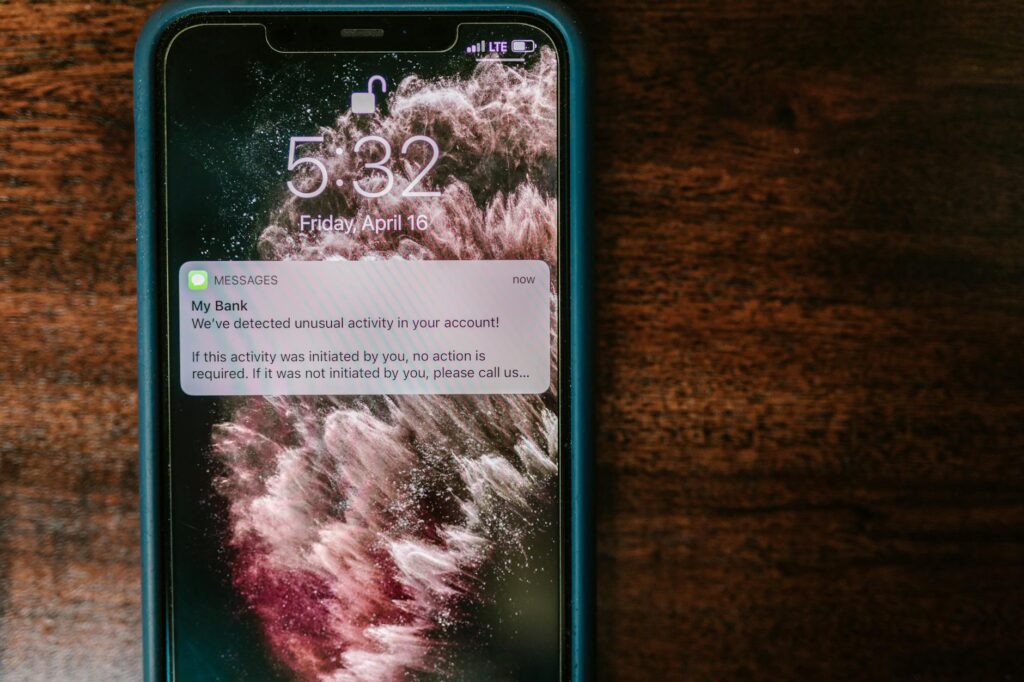
A user might receive a text message claiming to be from their bank, asking them to click a link to verify their account. Clicking that link could initiate a ransomware download. According to Verizon’s 2024 Data Breach Investigations Report, social engineering tactics like phishing are responsible for a significant percentage of breaches.
Compromised Websites and Downloads
Even browsing the web can pose a risk. Visiting a compromised website can lead to ‘drive-by’ downloads, where ransomware is installed on your device without your explicit consent, often by exploiting vulnerabilities in your browser or its plugins. Similarly, downloading files from untrusted sources, such as torrent sites or unofficial software repositories, significantly increases your risk.
Types of Mobile Ransomware
Mobile ransomware isn’t a single entity; it comes in various forms, each with its own method of operation and impact.
Screen-Locking Ransomware
This is the most straightforward type. It displays a full-screen message that locks the user out of their device. The message typically claims to be from law enforcement, accusing the user of illegal activity and demanding a fine be paid. Once the payment is made, the device is supposedly unlocked. However, these are often hoaxes designed purely for extortion.
Crypto-Ransomware (Encryption Ransomware)
More insidious, crypto-ransomware encrypts specific files on your device or the entire storage. Users are then presented with a ransom demand, often in cryptocurrency, to receive the decryption key. This type poses a greater risk of permanent data loss if backups aren’t available, as the encryption can be very difficult to break without the key.
Protecting Your Mobile Device: Prevention Strategies
The best defense against mobile ransomware is a strong offense. Proactive measures can significantly reduce your risk.
Keep Your Operating System and Apps Updated
Software developers regularly release security patches to fix vulnerabilities that attackers exploit. Turning on automatic updates for your device’s operating system (iOS or Android) and your installed applications is a critical step. As of May 2026, these updates are more vital than ever to combat the latest threats.
According to security researchers at Avast, many ransomware attacks exploit known vulnerabilities for which patches have long been available but not applied by users. Ensuring your device is up-to-date is a simple yet effective way to close these security gaps.
Download Apps Only from Official Stores
Stick to the Apple App Store for iOS devices and the Google Play Store for Android. These stores have security measures in place to vet apps, though they aren’t foolproof. Avoid downloading apps from third-party websites or unknown developers. Always review app permissions carefully before installing; an app shouldn’t need access to your contacts or SMS messages unless it’s directly related to its function.
Be Wary of Phishing and Suspicious Links
Think before you click. Be skeptical of unsolicited messages or emails, especially those that ask for personal information, urge immediate action, or contain suspicious links or attachments. If a message seems legitimate but urgent, contact the sender through a known, official channel (like calling the company’s customer service number from their website) rather than clicking the link provided.
Use Strong Security Software
Install a reputable mobile security application on your device. These apps can scan for malware, block malicious websites, and sometimes offer anti-phishing features. Many offer ransomware protection specifically. While not a guarantee, they add a significant layer of defense.
Enable Two-Factor Authentication (2FA)
While not directly preventing ransomware infection, 2FA adds a crucial layer of security to your accounts. If your device is compromised, 2FA makes it harder for attackers to access your cloud storage or sensitive online accounts linked to your phone.
Regularly Back Up Your Data
This is arguably the most important recovery strategy. Regularly back up your important photos, contacts, documents, and other data to a cloud service (like Google Drive, iCloud, or Dropbox) or an external storage device. This ensures that even if your device is locked or files are encrypted, you have a clean copy of your data to restore.
For example, setting up automatic photo backups to Google Photos or iCloud ensures that your precious memories are safe. Many cloud services offer automated backup features, making this process largely hands-off. According to data recovery specialists, having a recent backup is the single most effective way to mitigate the impact of ransomware.
Mobile Ransomware Recovery Strategies
Despite your best efforts, you might still fall victim to a mobile ransomware attack. Here’s what you can do.
Identify the Type of Ransomware
Determine if your device is screen-locked or if your files are encrypted. This will influence your recovery steps. Look for specific messages or ransom demands on your screen.
don’t Pay the Ransom (Usually)
Paying the ransom is almost never recommended. There’s no guarantee you’ll get your data back, and paying encourages attackers to continue their criminal activities. The FBI, for instance, consistently advises against paying ransoms.
In some rare cases, specific decryption tools might become available for certain ransomware strains. Websites like NoMoreRansom.org, a collaboration between law enforcement and cybersecurity firms, offer free decryption tools for a variety of ransomware types. Checking this resource is a good first step if your files are encrypted.
Remove the Malware
Screen-locking ransomware only locks if your device, you might be able to boot into Safe Mode. This mode loads only essential operating system functions, disabling third-party apps, including the ransomware. From Safe Mode, you can uninstall the malicious app. The process varies by device; typically, you press and hold the power button, then press and hold the ‘Power off’ option until a ‘Reboot to safe mode’ prompt appears.
For encryption ransomware, removing the malware itself doesn’t decrypt your files. However, it stops further encryption and prepares the device for restoration.
Restore from a Backup
If you have a recent backup of your data, this is your golden ticket. Erase your device and restore it from your last known clean backup. This will bring back your files and settings as they were before the infection.
A factory reset is often necessary before restoring from a backup to ensure all traces of the malware are gone. This process wipes your device clean. For Android, you can usually access this through Settings > System > Reset options > Erase all data (factory reset). For iOS, it’s Settings > General > Transfer or Reset iPhone > Erase All Content and Settings.
Consider Professional Help
If you’re not comfortable performing a factory reset or if your data is critical and you lack a backup, consider seeking help from a professional data recovery service or cybersecurity expert. They may have tools or techniques to help, though success is not guaranteed, especially with strong encryption.
Common Mistakes to Avoid
Many users make critical errors when dealing with mobile ransomware, hindering their recovery efforts.
Mistake 1: Panicking and Paying Immediately
The attackers want you to panic. Rushing to pay without exploring other options can lead to financial loss and no guarantee of data retrieval. Always take a moment to assess the situation and research your options, including checking for decryption tools.
Mistake 2: Ignoring Security Updates
As mentioned, outdated software is a primary entry point. Failing to apply security patches leaves your device vulnerable to known exploits that ransomware authors actively use. Make updates a priority, ideally setting them to automatic.
Mistake 3: Not Having a Backup Strategy
The most common reason for permanent data loss is the absence of regular backups. Relying solely on your device’s storage is a gamble. Implementing a cloud backup solution or manual backups to an external drive is essential for strong data protection.
Mistake 4: Downloading from Untrusted Sources
Clicking on random links in suspicious messages or downloading apps from outside official stores significantly increases your risk of installing malware. This is a fundamental security practice that many users unfortunately overlook.
The Evolving Threat Landscape in 2026
As of May 2026, mobile ransomware is not static. Attackers are constantly developing new techniques. This includes exploiting zero-day vulnerabilities, using more sophisticated social engineering tactics, and targeting enterprise mobile devices with advanced persistent threats. Staying informed about the latest cyber threats and adapting your security practices is crucial.
The rise of the Internet of Things (IoT) also presents new avenues for attackers. A compromised smart home device, for example, could potentially be used as an entry point into a home network, and subsequently target mobile devices connected to that network. This interconnectivity makes a layered security approach more important than ever.
Frequently Asked Questions
What should I do if my phone screen is locked by ransomware?
Try booting your phone into Safe Mode to uninstall the malicious app. If that doesn’t work, you may need to perform a factory reset. Always attempt to back up data if possible before resetting.
Can I recover my data if my phone files are encrypted by ransomware?
Recovery depends on whether you have a recent backup. You can check resources like NoMoreRansom.org for decryption tools. Paying the ransom is not recommended as it offers no guarantee of data return and encourages further attacks.
How do I prevent ransomware on my Android phone?
Keep your OS and apps updated, download apps only from the Google Play Store, be cautious of phishing links, use a reputable security app, and regularly back up your data.
Is iPhone ransomware a common threat?
While less common than on Android due to Apple’s stricter app store and OS security, iPhones can still be targeted through sophisticated phishing or by installing malware via compromised developer tools or jailbreaking. Vigilance is still required.
What is the cost of mobile ransomware attacks?
Ransom demands vary widely, from tens to hundreds of dollars. However, the true cost includes potential data loss, device downtime, and the cost of recovery services, which can far exceed the ransom amount.
Is it safe to use a factory reset to recover from ransomware?
A factory reset is a drastic but often effective measure to remove ransomware. It wipes your device clean, eliminating the malware. You can then restore your data from a clean backup. Ensure your backup is made before the reset.
Conclusion
Mobile ransomware poses a significant and evolving threat in 2026. By understanding how these attacks happen and implementing strong prevention strategies like regular updates, cautious app downloads, and consistent data backups, you can drastically reduce your risk. Should an attack occur, acting calmly and following recovery steps like malware removal and data restoration are your best paths forward, remembering that paying the ransom is rarely the solution.
Last reviewed: May 2026. Information current as of publication; pricing and product details may change.
Editorial Note: This article was researched and written by the Bloxtra editorial team. We fact-check our content and update it regularly. For questions or corrections, contact us.