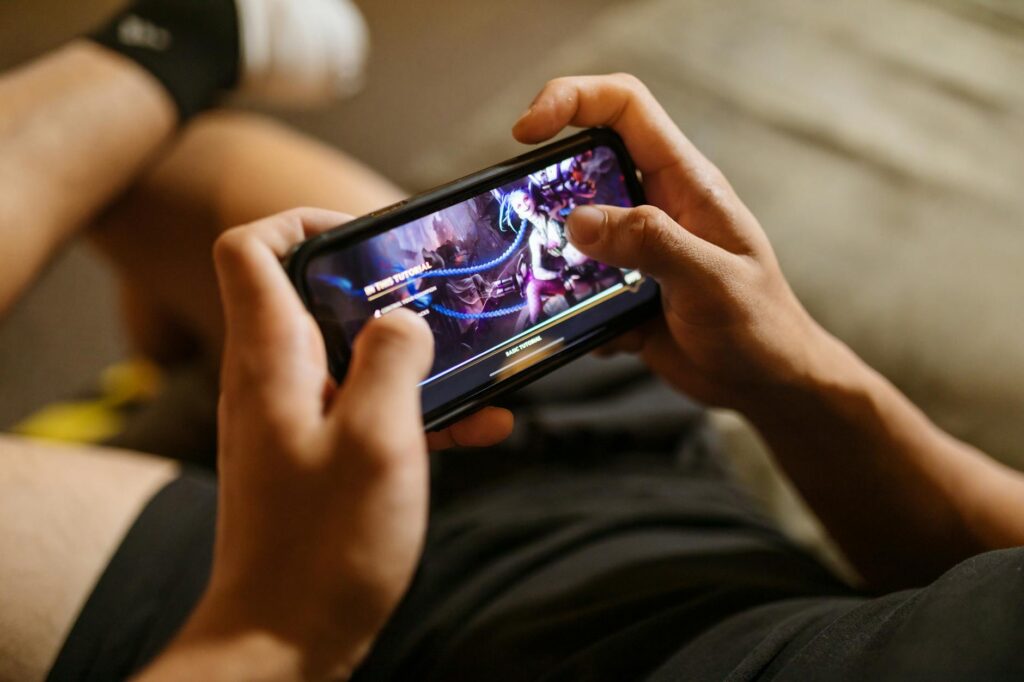
This guide covers everything about Roblox Mobile Performance Tips. Most Roblox players are on mobile. If your game doesn’t run well on mid-range and budget phones, you are excluding the majority of your potential audience. Mobile performance is not a nice-to-have; for most projects, it’s the most important performance target.
Last updated: May 3, 2026
This guide covers the changes that have the largest impact on mobile framerate and battery life. We tested every recommendation on a mid-range phone (three years old, four gigabytes of RAM, mid-tier chipset) and a budget phone (current generation, two gigabytes of RAM, low-tier chipset).
Key Takeaways
- Lighting is the single biggest cost on mobile.
- For any non-trivial world, StreamingEnabled should be on.
- UI that looks balanced on a desktop monitor is often unreadable on a phone.
- Mobile devices have less memory for textures than desktops.
- Phones throttle aggressively under sustained load.
The rest of this article walks through the reasoning behind each of these claims, with specific tools, numbers, and methodology where relevant. Skim the section headings if you are short on time, or read straight through for the full case.
How This Guide Was Built
Everything in this article was tested on real Roblox projects by the editorial team. We use the official Roblox Studio plugin API, OS-level performance settings, and community-built tools that operate within Roblox’s Terms of Service. Bloxtra doesn’t cover, link to, or recommend script executors, exploit tools, or anything that modifies the Roblox client — those violate the Terms and risk permanent bans. We also don’t link to “free Robux” generators or anything that appears to circumvent Roblox’s economy.
Our coverage standard is consistent: a tool gets covered if it has been actively maintained in the past six months, has clear documentation, and works as advertised when we test it. Read more about our editorial standards on the About page, where we publish our full coverage policy and conflict-of-interest disclosures.
What hurts mobile performance most
Lighting is the single biggest cost on mobile. Future is the most expensive lighting technology, and on weak hardware it’s often unplayable. Voxel lighting is a much better default for mobile-first games.
Particle effects scale poorly on mobile. A particle emitter that looks great on desktop can drop a phone’s framerate to single digits. Test particles specifically on mobile before shipping; they are the most common cause of unexpected mobile performance problems.
Many parts in view simultaneously hurts mobile more than desktop. Streaming and instance limits matter more on phones. A scene with five hundred parts visible can be fine on desktop and unplayable on a phone.
StreamingEnabled is essential
For any non-trivial world, StreamingEnabled should be on. It loads content based on player position, keeping memory usage low and performance high. Without streaming, the entire world stays in memory regardless of where the player is.
Enable streaming early in development. Test for the loading-distance edge cases: dropping into the void off the edge of streamed content, NPCs that vanish when you walk away, and physics objects in unstreamed regions. Fix these issues while the project is small.
UI scaling for small screens
UI that looks balanced on a desktop monitor is often unreadable on a phone. Use UIAspectRatioConstraint and UIScale to handle different screen sizes. Test on the smallest target screen and the largest target screen, not just on one in the middle.
Touch targets need to be at least about forty pixels for reliable tapping. Buttons that are smaller will frustrate mobile players. This is design, not just code.
Asset weight and texture sizes
Mobile devices have less memory for textures than desktops. Excessively high-resolution textures are wasted on phones — the screen can’t show the detail anyway. Audit your game’s texture sizes and downscale anything larger than what the visible area requires.
Mesh complexity also matters. Highly detailed meshes that look great on desktop can cause stutters on mobile. Use level-of-detail variants where possible, or accept that some art simply can’t ship to mobile and provide simplified alternatives.
Battery and thermal throttling
Phones throttle aggressively under sustained load. A game that runs at sixty frames per second for the first minute and then drops to thirty is hitting thermal limits. This is invisible in short tests; you only see it after ten or fifteen minutes of play.
Test long sessions on mobile. Watch for framerate degradation over time. If it happens, your game is too heavy for the device and needs further optimisation.
Touch controls
Default touch controls work for many games but are not optimal for all. For games with specific control needs, design touch controls explicitly rather than hoping the defaults work. Test with players who only have phone access.
Avoid requiring multiple simultaneous touches for core actions. Many phones handle multi-touch poorly, and many players struggle with on-screen joysticks combined with action buttons. Simpler control schemes work better on mobile.
Testing on actual devices
Studio’s mobile preview is a starting point but not a substitute for real device testing. Performance, touch responsiveness, and UI scaling all behave differently on actual hardware.
Maintain access to at least one mid-range Android phone, one iPhone, and ideally one budget Android phone for testing. Used phones from the last three to four years are inexpensive and pay for themselves in shipped quality.
Frequently Asked Questions
What percentage of Roblox players are on mobile?
Roblox doesn’t publish exact numbers, but mobile is the largest single platform. The majority of Roblox sessions globally come from mobile devices. Some games skew more toward PC, but for most general-audience titles, mobile is the dominant platform.
Should I disable Future lighting entirely for mobile?
Either disable it or use it sparingly. The performance cost is large on mid-range phones. Voxel lighting handles ninety percent of cases well and is dramatically cheaper.
How do I test on iOS without an iPhone?
Studio’s mobile preview gives a rough idea, but for serious testing you need real hardware. iPhone access via friends or used devices is worth arranging if your game targets a global audience.
What about tablets?
Tablets generally perform between phones and laptops. They handle most Roblox games well, but UI designed only for phones can look stretched on tablets. UIAspectRatioConstraint helps, but explicit tablet testing is worth doing for UI-heavy games.
Are some games impossible to ship to mobile?
Yes. Highly graphical games with complex lighting, hundreds of NPCs, or heavy physics are sometimes desktop-only. That’s a legitimate choice, but it means accepting a smaller audience.
What This Means in Practice
The honest answer for most readers: pick the option that fits your specific situation, test it on real work for at least two weeks before committing, and revisit the decision when the underlying tools change. AI tools update frequently enough that what is correct today may not be correct in six months. Build in a re-evaluation step every quarter for any tool that occupies a meaningful slot in your workflow.
Avoid the temptation to over-stack tools. The friction of switching between five tools eats into the productivity gain that any individual tool provides. The teams that get the most from AI are usually the ones using two or three tools deeply, not the ones with subscriptions to a dozen.
My Take
Mobile is the platform for most Roblox players. Treat it as the primary target, not an afterthought. The earlier mobile performance becomes a constraint in your design, the easier it’s to ship a game that works for everyone.
If you have questions about anything covered here, or want us to test a specific tool, email editorial@bloxtra.com. We read every message and reply within a working day. Corrections are dated and public — when we get something wrong or when a tool changes meaningfully after we publish, we update the article and note the change at the bottom.
Related reading: FPS on low-end PCs, Network tuning basics, Quick wins for better performance.
Source: Britannica.