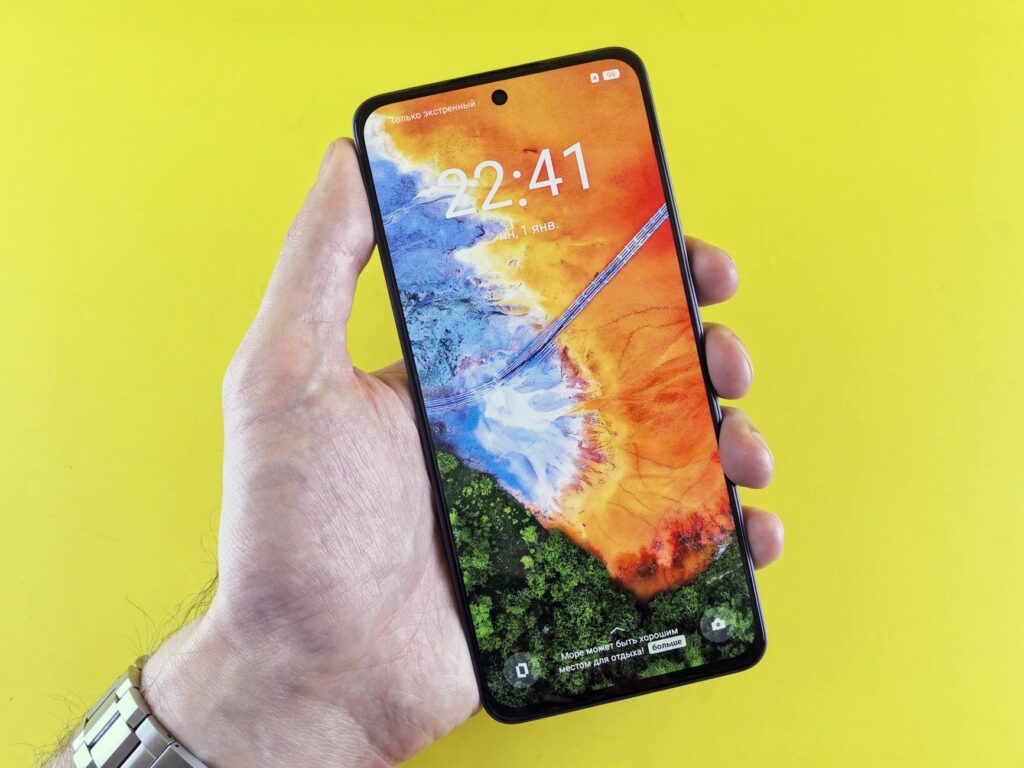
This guide covers everything about Understanding Display Technologies: OLED vs. LCD for Mobile Devices. Picking a new smartphone or tablet often boils down to a few key specs, and the display is right at the top. But what does it all mean when you see terms like OLED, AMOLED, or LCD? Understanding these display technologies is crucial for getting the best visual experience, whether you’re scrolling through social media, gaming, or watching your favorite shows. As of May 2026, the battle between OLED and LCD continues, each offering distinct advantages for mobile devices.
Last updated: May 6, 2026
Most readers searching this topic want to know: Which screen type is actually better for my phone, and what are the practical differences I’ll notice every day?
The Core Difference: How Each Pixel Shines (or Doesn’t)
At its heart, the difference between OLED and LCD lies in how they produce light. LCD (Liquid Crystal Display) panels use a constant backlight that shines through a layer of liquid crystals and color filters. This backlight is always on, even when displaying black. OLED (Organic Light-Emitting Diode), on the other hand, uses organic compounds that emit light when an electric current passes through them. Each pixel in an OLED display is its own light source.
This fundamental distinction leads to a cascade of differences in performance, from contrast and color to power efficiency. It’s not just about specs; it’s about the visual experience in your hand.
OLED: The King of Contrast and True Blacks
OLED displays are renowned for their incredible contrast ratios. Because each pixel can be turned off individually, OLEDs can achieve perfect blacks. When a pixel is off, it emits no light, resulting in a depth and vibrancy that LCDs simply can’t match. This makes colors pop, especially dark scenes in movies or games.
AMOLED (Active-Matrix Organic Light-Emitting Diode) is the most common type of OLED found in phones. The ‘active-matrix’ part refers to the thin-film transistor (TFT) technology that controls each individual pixel, allowing for faster refresh rates and better pixel-level control. Samsung’s Super AMOLED is a well-known example of this technology.
Practical Tip: If you frequently watch movies or play games with deep shadows, an OLED screen will offer a more immersive and visually stunning experience thanks to its unparalleled contrast.
LCD: The Reliable Workhorse
LCD technology has been around for a while and is a staple in many electronic devices. Its main advantage is the use of a constant backlight. While this means it can’t achieve perfect blacks (blacks often appear as dark gray), it can achieve very high peak brightness levels, which is excellent for outdoor visibility.
LCDs are also generally less susceptible to ‘burn-in’ – a permanent discoloration that can occur on OLED screens if static images are displayed for extended periods. While modern OLEDs have significantly improved in this regard, it’s still a consideration for some users. And, LCDs tend to be less expensive to manufacture.
Practical Tip: For users who work outdoors frequently or are concerned about image persistence, an LCD might offer a more strong and worry-free experience, especially on more budget-friendly devices.
Color Accuracy and Vibrancy: A Tale of Two Technologies
When it comes to color, OLEDs typically take the crown for vibrancy and saturation. The self-emissive nature of OLED pixels allows for a wider color gamut, meaning they can display a broader range of colors more accurately. This results in richer, more lifelike images.
LCDs, while capable of good color reproduction, can sometimes appear less vivid. Their color accuracy is heavily dependent on the quality of the backlight and the filters used. High-end LCDs, like those using Quantum Dot technology (often marketed as ‘QLED’ by some manufacturers, though this is different from Samsung’s QLED TVs), can achieve very impressive color performance, rivaling OLEDs in some aspects.
Practical Tip: If photo editing or graphic design on your mobile device is a priority, an OLED screen’s superior color accuracy and contrast will likely be more beneficial.
Brightness: Battling the Sun
Brightness is crucial for outdoor readability. Historically, LCDs had an edge here because their backlights could be pushed to very high luminance levels. However, as of May 2026, many flagship smartphones featuring OLED displays can achieve extremely high peak brightness levels, often exceeding 1000 nits, making them perfectly usable even in direct sunlight.
It’s important to differentiate between sustained brightness and peak brightness. While OLEDs can hit very high peaks for HDR content or specific use cases, their sustained maximum brightness might be lower than a comparable high-end LCD to prevent damage or excessive power drain. For everyday use under bright skies, both can perform admirably.
Practical Tip: Check reviews for specific peak brightness figures (measured in nits) for any phone you’re considering, as this is a key indicator for outdoor performance.
Power Consumption and Battery Life: The Pixel’s Price
This is where OLEDs often shine. Because each pixel generates its own light, OLED displays can turn off pixels completely when displaying black or dark content. This means that when you’re using dark mode or watching a dark movie scene, your phone’s battery can last significantly longer.
LCDs, however, use a backlight that’s always on. Even displaying a black pixel requires the backlight to be active, just with the liquid crystals blocking the light as much as possible. This can lead to higher, more consistent power draw compared to OLEDs, especially on brightly colored or predominantly white interfaces.
Caveat: While OLEDs are generally more power-efficient for dark content, displaying bright, white interfaces for extended periods can consume more power than an equivalent LCD, sometimes even surpassing it. So, the ‘OLED battery advantage’ is heavily dependent on your usage patterns and screen settings.
Refresh Rate and Motion Smoothness
The refresh rate, measured in Hertz (Hz), determines how many times per second the screen updates the image. Higher refresh rates lead to smoother scrolling, more fluid animations, and a more responsive feel, particularly noticeable in gaming and fast-paced content.
Both OLED and LCD technologies can support high refresh rates. Many modern smartphones, regardless of display type, offer 90Hz or 120Hz panels. Some advanced OLED displays even feature LTPO (Low-Temperature Polycrystalline Oxide) technology, which allows the refresh rate to dynamically adjust from as low as 1Hz up to 120Hz (or higher in some new models as of 2026) to save power when high refresh rates aren’t needed.
Practical Tip: If smooth motion is a high priority for you, look for devices advertising refresh rates of 90Hz or 120Hz, and ideally, adaptive refresh rate technology.
Durability and Burn-In Concerns
One of the older criticisms of OLED technology was its susceptibility to burn-in. This occurs when a static image is displayed for too long, leaving a permanent faint ghost of that image on the screen. Think of a permanently visible status bar or navigation buttons.
However, manufacturers have made massive strides in mitigating burn-in on OLED panels. Through improved organic materials and software-based pixel shifting and compensation techniques, the risk is significantly reduced for typical smartphone usage. LCDs, by their nature, don’t suffer from burn-in in the same way, as there are no organic materials that degrade from static images.
Practical Tip: For extreme use cases involving static images for hours on end daily (e.g., a security monitor), LCDs might still be safer. For typical smartphone users, burn-in is far less of a concern than it used to be.
Cost: The Bottom Line for Your Wallet
Generally, LCD panels are cheaper to produce than OLED panels. This is why you’ll find LCD screens predominantly in budget and mid-range smartphones. The technology is mature, and manufacturing processes are highly optimized.
OLED technology, while becoming more accessible, still carries a higher manufacturing cost. This is reflected in the price of smartphones that use them, particularly flagship models. However, the price gap is narrowing, and the visual benefits often justify the increased cost for many consumers.
Practical Tip: If budget is your primary concern, an LCD-equipped phone will likely offer better value for money in terms of screen hardware alone. However, consider the overall package and your specific needs.
| Feature | OLED (AMOLED) | LCD |
|---|---|---|
| Contrast Ratio | Infinite (Perfect Blacks) | Good to Very Good (Dark Grays) |
| Color Vibrancy | Excellent, Wide Gamut | Good to Excellent (Varies) |
| Brightness | High Peak, Good Sustained | Very High Sustained, High Peak |
| Power Consumption | Excellent for dark content, average for bright | Consistent, higher for bright content |
| Burn-in Risk | Low to Moderate (Improved) | Negligible |
| Cost | Higher | Lower |
| Viewing Angles | Excellent | Good to Very Good (Can shift color) |
Which Display Tech is Best for Mobile Devices in 2026?
The choice between OLED and LCD for your mobile device in 2026 depends heavily on your priorities and budget. Both technologies have evolved significantly, blurring the lines in some areas.
Choose OLED if: You prioritize stunning visual quality with deep blacks and vibrant colors, enjoy watching movies or playing games, and want excellent power efficiency for dark-themed apps. Flagship phones from manufacturers like Samsung (Super AMOLED) and Apple (Super Retina XDR) predominantly use OLED.
Choose LCD if: Your budget is a primary concern, you work outdoors frequently and need high sustained brightness, or you have lingering concerns about OLED burn-in. Many excellent mid-range and budget phones from brands like Google (Pixel A-series) and others still use high-quality LCD panels.
The mobile display landscape is constantly shifting. As of May 2026, OLED is the premium choice, offering the most visually striking experience. However, high-quality LCDs remain a perfectly viable and often more cost-effective option for many users.
Common Mistakes to Avoid When Choosing a Mobile Display
When evaluating mobile displays, consumers often make a few common errors. One is focusing solely on resolution (like Full HD+ or QHD+) without considering the underlying display technology. A lower-resolution OLED can sometimes look better than a higher-resolution LCD due to superior contrast and color.
Another mistake is not factoring in real-world usage. A phone might boast an incredibly high peak brightness figure, but if its sustained brightness is mediocre or its battery drains rapidly, that peak figure becomes less meaningful for everyday use. Always look at complete reviews that test displays under various conditions.
Finally, don’t dismiss LCDs out of hand. While OLEDs get a lot of the hype, many modern LCD panels offer fantastic color, brightness, and smoothness, providing a great experience at a lower price point. The key is to understand what matters most to you.
Expert Insights and Future Trends
The trend in 2026 is clearly towards OLED dominance, especially in the premium smartphone segment. Manufacturers are continually refining OLED technology to improve longevity, reduce power consumption further, and increase brightness. We’re also seeing more foldable phones with flexible OLED displays, which are pushing the boundaries of display engineering.
For LCDs, the focus is on improving color accuracy and efficiency, often through advanced backlighting and filter technologies like Quantum Dots. While they might not reach the perfect blacks of OLED, they remain a strong and reliable choice, particularly for devices where cost-effectiveness is paramount.
Looking ahead, micro-LED technology is on the horizon as a potential successor to both, offering the best of both worlds: perfect blacks, incredible brightness, and superior durability. However, mass adoption for mobile devices is still some years away, and costs are currently prohibitive.
Frequently Asked Questions
Is OLED or LCD better for my eyes?
Both OLED and LCD displays can be good for your eyes when used responsibly. OLEDs’ perfect blacks mean less light is emitted overall in dark scenes, potentially reducing eye strain for some users in low-light conditions. LCDs tend to offer higher sustained brightness, which can be better in bright environments.
Which display type drains the battery faster?
Generally, OLED displays consume less battery power when displaying dark content or using dark mode, as individual pixels can be turned off. LCDs use a constant backlight, leading to more consistent power draw, which can be higher than OLEDs for predominantly white or bright interfaces.
Can OLED screens get ‘burned in’?
Yes, OLED screens can be susceptible to burn-in if static images are displayed for very long periods. However, as of May 2026, manufacturers have significantly improved OLED technology, making burn-in a much rarer issue for typical smartphone users than it was in previous years.
Are LCD screens still good for modern smartphones?
Absolutely. High-quality LCD panels offer excellent color reproduction, brightness, and smooth refresh rates. They remain a popular choice for mid-range and budget smartphones, providing a great visual experience at a more affordable price point.
What does AMOLED mean?
AMOLED stands for Active-Matrix Organic Light-Emitting Diode. It’s a type of Its own transistor controls oLED display where each pixel, allowing for faster response times, higher refresh rates, and more precise control over the display’s output.
Is it worth paying extra for an OLED phone?
For many users, yes. The superior contrast, vibrant colors, and true blacks offered by OLED provide a noticeably better visual experience for media consumption and general use. The improved battery efficiency in dark modes is also a significant benefit for many.
Last reviewed: May 2026. Information current as of publication; pricing and product details may change.
Source: Wired
Editorial Note: This article was researched and written by the Bloxtra editorial team. We fact-check our content and update it regularly. For questions or corrections, contact us.