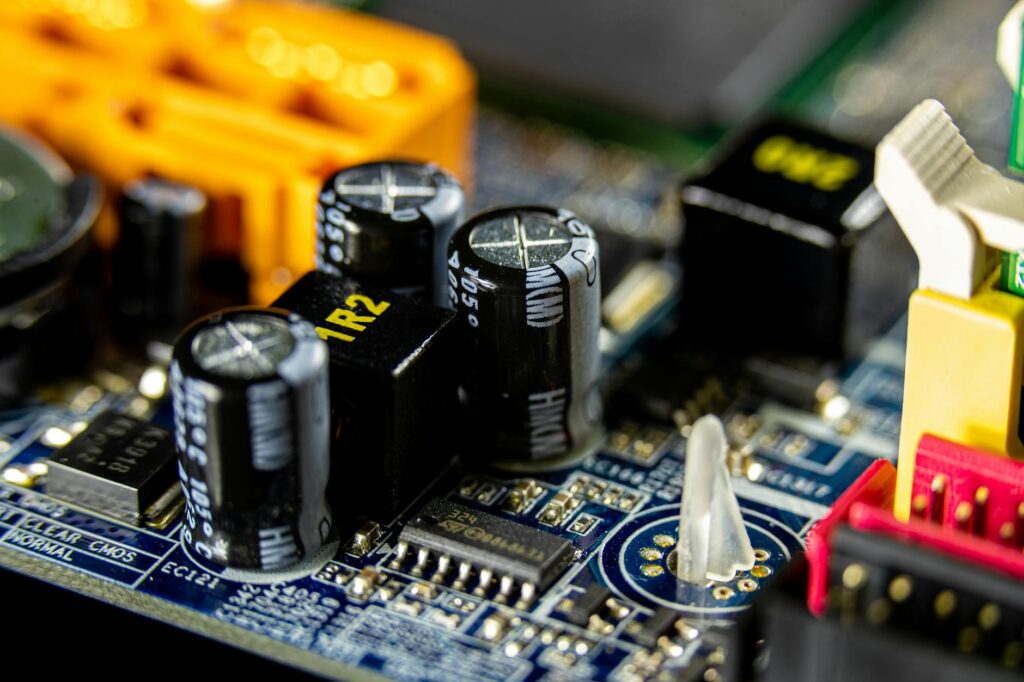
This guide covers everything about Hardware Upgrades Worth Making for Roblox Creators. Roblox developers face a hardware question players don’t. As a developer, you spend hours in Studio building, testing, and rendering. The performance bottleneck is different from playing — Studio with a complex world open is much heavier than playing the same world.
Last updated: May 3, 2026
This guide is for people building games who want to know which upgrades actually help Studio performance. It’s opinionated about priorities and avoids the common trap of recommending the most expensive components when cheaper ones would solve the problem.
Key Takeaways
- Studio is unusually CPU-heavy compared to most game engines.
- In order of bang for buck for most developers: SSD if you don’t have one, RAM up to thirty-two gigabytes, a faster CPU with strong single-threaded performance, then a better GPU.
- On a tight budget: any modern SSD, sixteen gigabytes of RAM, and a CPU from the last four to five years gets you a workable Studio machine.
- After the core machine, the monitor is the next investment.
- A good mouse is worth the money.
The rest of this article walks through the reasoning behind each of these claims, with specific tools, numbers, and methodology where relevant. Skim the section headings if you are short on time, or read straight through for the full case.
How This Guide Was Built
Everything in this article was tested on real Roblox projects by the editorial team. We use the official Roblox Studio plugin API, OS-level performance settings, and community-built tools that operate within Roblox’s Terms of Service. Bloxtra doesn’t cover, link to, or recommend script executors, exploit tools, or anything that modifies the Roblox client — those violate the Terms and risk permanent bans. We also don’t link to “free Robux” generators or anything that appears to circumvent Roblox’s economy.
Our coverage standard is consistent: a tool gets covered if it has been actively maintained in the past six months, has clear documentation, and works as advertised when we test it. Read more about our editorial standards on the About page, where we publish our full coverage policy and conflict-of-interest disclosures.
What slows Studio down
Studio is unusually CPU-heavy compared to most game engines. Compiling Luau, running physics simulation, processing the asset graph, and rendering the editor view all hit the CPU hard. Single-threaded performance matters more than core count for most Studio operations.
Memory matters next. Large worlds with many parts and assets consume gigabytes. Once Studio starts swapping to disk, performance collapses. Sufficient RAM keeps the project entirely in memory.
Disk speed matters for project loading and saving. SSDs make Studio noticeably more responsive when opening or saving large projects. The cost of an SSD upgrade is usually small compared to the time saved.
Priority order for upgrades
In order of bang for buck for most developers: SSD if you don’t have one, RAM up to thirty-two gigabytes, a faster CPU with strong single-threaded performance, then a better GPU. The GPU matters but is rarely the bottleneck in Studio specifically.
For studios working on graphically heavy games (custom lighting, lots of meshes, high-poly assets), the GPU priority moves up. For most developers building gameplay-focused games, GPU is the lowest priority.
Specific recommendations by budget
On a tight budget: any modern SSD, sixteen gigabytes of RAM, and a CPU from the last four to five years gets you a workable Studio machine. Don’t spend money on premium components if your project doesn’t need them.
For mid-range builds: thirty-two gigabytes of RAM, a current-generation CPU with strong single-thread performance, and a mid-range GPU. This handles all but the most demanding Roblox projects with comfort.
For high-end work: sixty-four gigabytes of RAM, a top-tier CPU, and a high-end GPU. This is overkill for most Roblox work but allows comfortable multi-tasking with art tools, video capture, and Studio open simultaneously.
Monitor matters more than people think
After the core machine, the monitor is the next investment. A second monitor — even a modest one — significantly speeds up development by letting you keep documentation, asset browsers, or chat open without alt-tabbing.
A larger primary monitor is also worth it. Studio benefits from screen real estate; the more you can see at once, the less time you spend scrolling and switching panels.
Peripherals worth considering
A good mouse is worth the money. Studio involves a lot of clicking and dragging. A precise, comfortable mouse reduces fatigue over long sessions.
A mechanical keyboard is a preference rather than a productivity tool. It feels nice to type on but doesn’t measurably affect coding speed for most people. If you enjoy it, get one. If you don’t, save the money.
Laptop versus desktop
For pure performance per dollar, desktops win. For convenience and remote work, laptops win. For Roblox development specifically, both work fine — the platform is not particularly demanding.
If you choose a laptop, prioritise a good cooling system over raw specs. Throttling is the enemy of long Studio sessions, and quiet, well-cooled laptops are rarer than the spec sheets suggest.
When upgrades won’t help
If your Studio sessions are slow because the project itself has performance problems, hardware won’t fix that. Profile the project, find the actual bottlenecks, and fix them at the project level.
If your workflow involves many open browser tabs, video calls, and other software running alongside Studio, more RAM helps but the underlying issue is workflow. Closing things you don’t need is free and often more effective than buying memory.
Frequently Asked Questions
Will a faster GPU let me build bigger worlds?
Not really. Studio’s ability to handle large worlds is more about CPU and memory. A fast GPU helps the rendering smoothness in the editor view but doesn’t let you load larger projects. Spend the money on RAM first.
Is a Mac good for Roblox development?
It works. Studio is supported on macOS. Performance is usually fine for typical projects. The main caveat is that some plugins and external tools are Windows-only or have better Windows support, so check your specific workflow before committing.
Do I need a gaming laptop for Roblox dev?
Not necessarily. A solid productivity laptop with sixteen to thirty-two gigabytes of RAM and a recent CPU will handle most Roblox work well. Gaming laptops have stronger GPUs and more aggressive cooling, which helps if you do graphically intense work.
How long should a developer machine last?
Five to seven years is reasonable for solid mid-range hardware. RAM and SSD upgrades partway through the cycle extend that further. Roblox’s hardware requirements have grown but not dramatically over the last decade.
What about cloud development setups?
Some developers use cloud workstations for Studio. Hardware Upgrades Worth Making for Roblox Creators works but adds latency and complexity. For most independent developers, a local machine is simpler and cheaper.
What This Means in Practice
The honest answer for most readers: pick the option that fits your specific situation, test it on real work for at least two weeks before committing, and revisit the decision when the underlying tools change. AI tools update frequently enough that what is correct today may not be correct in six months. Build in a re-evaluation step every quarter for any tool that occupies a meaningful slot in your workflow.
Avoid the temptation to over-stack tools. The friction of switching between five tools eats into the productivity gain that any individual tool provides. The teams that get the most from AI are usually the ones using two or three tools deeply, not the ones with subscriptions to a dozen.
My Take
For Roblox creators, RAM and SSD usually beat GPU and exotic CPU choices. Buy the cheap upgrades first, profile the project, and only spend big when the cheap fixes are exhausted.
If you have questions about anything covered here, or want us to test a specific tool, email editorial@bloxtra.com. We read every message and reply within a working day. Corrections are dated and public — when we get something wrong or when a tool changes meaningfully after we publish, we update the article and note the change at the bottom.
Related reading: FPS on low-end PCs, Best Studio plugins 2026, Quick wins for better performance.
Source: Britannica.