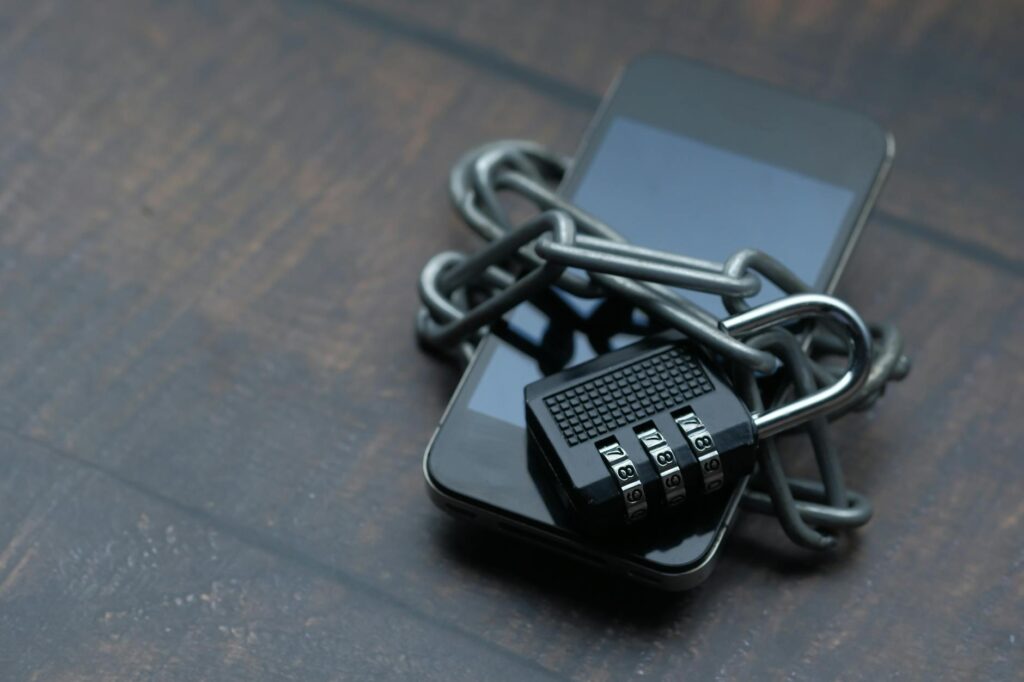
As of May 2026, the digital landscape is more complex than ever,, and protecting your Android device requires more than just basic precautions. Cybercriminals are constantly innovating, developing sophisticated methods to exploit vulnerabilities. This isn’t about avoiding dodgy websites; it’s about building a strong defense against advanced threats. Let’s dive deep into the Android security best practices for 2026 that go beyond the surface level.
Last updated: May 6, 2026
Key Takeaways
- Implement granular app permissions and regularly review them for unnecessary access.
- Use biometric authentication and strong, unique passcodes for device and app access.
- Stay vigilant against phishing and social engineering tactics through education and smart app choices.
- Understand and use Android’s built-in security features, like Play Protect and find my device.
- Consider advanced security tools for enhanced protection against evolving threats.
Advanced App Permission Management
Android’s permission system has become increasingly granular, allowing you to grant access only when an app needs it. As of 2026, this is a critical layer of defense. Don’t just grant ‘All the time’ access to location or microphone unless absolutely necessary. Regularly audit your app permissions through Settings > Apps > Permissions. Revoke access for apps you rarely use or those that seem to request excessive permissions.
For example, a photo editing app likely doesn’t need constant access to your location. Similarly, a note-taking app shouldn’t require microphone access unless it specifically offers voice recording features. By being judicious with permissions, you limit an app’s potential damage if compromised.
Fortifying Authentication Beyond Passwords
Passwords alone are increasingly insufficient. As of May 2026, multi-factor authentication (MFA) should be a non-negotiable for sensitive apps and services. This often includes a password, plus a code from an authenticator app (like Google Authenticator or Authy) or a biometric verification. For your Android device itself, embrace biometric unlock methods like fingerprint scanning or facial recognition. Ensure these are set up with a strong, unique PIN or password as a fallback.
Consider password managers; services like Bitwarden or 1Password are excellent for generating and storing strong, unique passwords for all your accounts. This reduces the risk of credential stuffing attacks where a breach of one service compromises others. According to CNET’s 2026 testing, the top password managers offer strong security features and smooth integration with Android devices.
Mastering Phishing and Social Engineering Defenses
Phishing remains one of the most prevalent threats. Attackers often impersonate trusted entities via SMS (smishing) or email, tricking users into revealing sensitive information or downloading malware. In 2026, these attacks are more sophisticated, often using personalized lures. Be wary of unsolicited messages asking for personal details, urgent actions, or containing suspicious links or attachments, regardless of whether they appear to come from a known contact or service.
Always verify the sender’s identity through a separate, trusted channel before clicking links or providing information. For instance, if you receive an urgent alert from your bank via SMS, don’t click the link in the message. Instead, open your banking app directly or visit the bank’s official website through a bookmark or by typing the URL. This proactive verification step is crucial for mitigating phishing risks.
using Android’s Built-in Security Features
Google continuously enhances Android’s native security. Android’s Play Protect scans apps for malicious behavior both on the Play Store and on your device. Ensure it’s enabled (Settings > Security > Google Play Protect). Beyond that, features like ‘Find My Device’ are invaluable for locating, locking, or wiping your phone remotely if lost or stolen. Set this up now: Settings > Security > Find My Device. Encryption is also standard on most modern Android devices, protecting your data if the device falls into the wrong hands.
And, Android’s secure element and hardware-backed security features provide a foundational layer of protection against advanced persistent threats. Understanding and enabling these features is a fundamental step in your 2026 Android security strategy. The Android Police noted in late April 2026 that device manufacturers are further integrating these native security layers into their custom UIs.
Secure Communication and Data Handling
When communicating sensitive information, encryption is your ally. Use end-to-end encrypted messaging apps like Signal for your most private conversations. For email, consider encrypted solutions or PGP if you regularly exchange highly confidential data. Be mindful of public Wi-Fi networks; they are notorious hunting grounds for attackers. According to the Orlando Sentinel on May 1, 2026, remote workers need to be particularly cautious when logging on at cafés or public hotspots.
When using public Wi-Fi, it’s best practice to use a Virtual Private Network (VPN). A VPN encrypts your internet traffic, making it unreadable to anyone snooping on the network. CNET’s 2026 VPN testing highlighted services like Express VPN and NordVPN as top performers for speed and security.
Proactive Malware and Ransomware Defense
While Google Play Protect offers a strong first line of defense, it’s not infallible. Advanced threats, including ransomware and sophisticated spyware, can still slip through. Regularly update your Android OS and all installed apps. Developers frequently release patches to fix security vulnerabilities. Enable automatic updates whenever possible. For an extra layer of protection, consider a reputable mobile security app from a trusted vendor, but be discerning. Not all security apps are created equal, and some can even be detrimental to performance or privacy.
A practical approach involves scanning downloaded files and being cautious about sideloading apps from unknown sources. Ransomware can lock your device and demand payment. The best defense is a good backup strategy. Regularly back up your important data to cloud services or an external drive, ensuring these backups are also secured and ideally encrypted. This significantly reduces the impact of a successful ransomware attack.
Understanding and Managing Network Security
Your Android device’s connection to the internet and other devices presents potential vulnerabilities. Be selective about enabling Bluetooth and NFC when not in use. Regularly review connected devices and disconnect any that are unfamiliar. When setting up your home Wi-Fi, ensure it uses strong WPA3 encryption and a complex, unique password. Avoid older, less secure encryption standards like WEP or WPA.
For businesses or users handling highly sensitive data, consider network segmentation and the use of enterprise-grade security solutions. This might involve dedicated mobile device management (MDM) platforms that enforce security policies across a fleet of devices. Even for personal use, understanding your router’s security settings is paramount as it forms the gateway to your home network.
The Role of Regular Security Audits and Updates
Security isn’t a ‘set it and forget it’ task. As of May 2026, regular audits are essential. This includes reviewing app permissions, checking for system updates, verifying that Play Protect is active, and assessing your overall security posture. Google releases monthly security patches for Android, and manufacturers often layer their own updates on top. Install these updates promptly. Many users postpone updates due to inconvenience, but these patches are critical for closing known security gaps.
A complete security audit might also involve checking account activity for any suspicious logins or changes. Many services now offer security check-up tools that guide you through this process. For instance, a quick security check on your Google account can reveal unusual login locations or recently installed apps that might be risky.
Common Android Security Mistakes to Avoid
Many users fall into common security traps. Relying solely on a simple swipe pattern, not updating software promptly, installing apps from unofficial sources, and clicking on every link received are all significant missteps. Another mistake is not enabling ‘Find My Device’ or a similar feature, leaving a lost phone’s data exposed. Also, reusing the same password across multiple services is a huge risk.
A practical solution to these common mistakes is education and habit formation. Make it a routine to check for updates weekly and review app permissions monthly. Educate yourself and your family about the latest phishing techniques. Using a password manager automates strong password generation and secure storage, addressing one of the biggest security lapses.
Expert Insights for Enhanced Android Protection
Beyond the standard advice, consider these advanced strategies for 2026. Use Android’s ‘Work Profile’ feature if your device supports it, creating a separate, secure space for your work apps and data, which is especially useful for BYOD (Bring Your Own Device) policies. This profile has its own set of security policies and app installations, keeping work and personal data distinctly separated. Even for personal use, it can help isolate potentially risky apps.
Another insight is to understand the role of sandboxing. Android inherently sandboxes apps, limiting their access to system resources and other apps’ data. However, understanding how this works can help you appreciate why certain permissions are requested and what risks are involved. For users concerned about deep system-level threats, exploring custom ROMs with enhanced security features might be an option, though this requires significant technical expertise and carries its own risks.
Frequently Asked Questions
Is Android security better in 2026 than previous years?
Yes, as of May 2026, Android security continues to improve with each OS update, incorporating advanced threat detection, granular permissions, and hardware-backed security features. However, user vigilance remains critical against evolving threats.
What is the most common Android security threat in 2026?
Phishing (smishing and email-based) and social engineering remain the most prevalent threats, often leading to malware infections or credential theft. Malicious apps, though less common on the Play Store, are also a significant concern.
Should I use a VPN on my Android phone all the time?
While not strictly necessary for all activities, using a VPN is highly recommended when connecting to public Wi-Fi networks or when handling sensitive data. For everyday browsing on secure networks, it’s less critical but still adds a layer of privacy.
How often should I update my Android device?
You should install Android OS and app updates as soon as they are available. Many devices offer automatic updates, which is the most convenient way to ensure your device is protected against the latest known vulnerabilities.
What is Android’s Play Protect and how does it work?
Google Play Protect is Android’s built-in malware protection system. It scans apps from the Google Play Store and on your device for harmful behavior, helping to prevent the installation and execution of malicious software.
Are free antivirus apps for Android safe to use?
Some free antivirus apps are reputable and offer useful protection. However, many are ineffective, consume excessive resources, or even contain malware themselves. It’s crucial to research and choose a well-reviewed app from a trusted security vendor.
Last reviewed: May 2026. Information current as of publication; pricing and product details may change.
Source: Wired
Editorial Note: This article was researched and written by the Bloxtra editorial team. We fact-check our content and update it regularly. For questions or corrections, contact us.