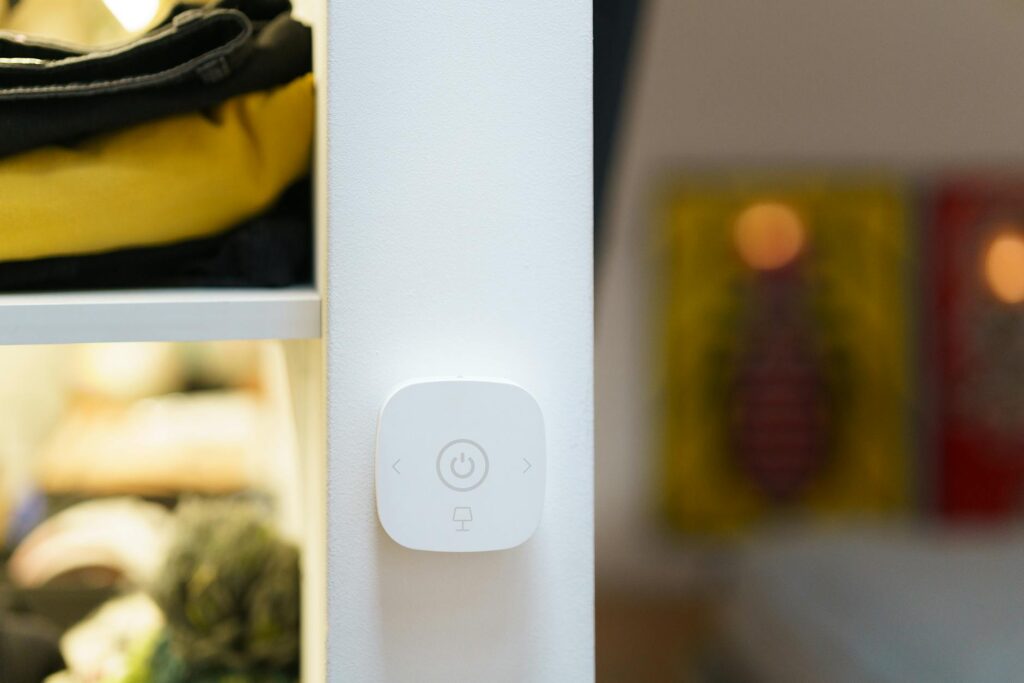
Imagine waking up to gentle lighting that gradually brightens your room, your coffee maker starting automatically, and the day’s news or your favorite podcast playing softly. This isn’t science fiction; it’s the reality that home automation brings to millions of households in 2026. It’s about creating a living space that’s more responsive, efficient, and secure, adapting to your lifestyle rather than the other way around.
The Core Components of a Smart Home
At its heart, a home automation system relies on several key components working in concert. These include smart devices (sensors, actuators, and controllers), a central hub or platform (often a smartphone app or dedicated device), and a reliable network connection (Wi-Fi, Bluetooth, Thread, or Zigbee).
Smart devices are the building blocks. Sensors detect environmental changes like temperature, motion, or light, while actuators perform actions, such as turning on a light or locking a door. The central hub acts as the brain, processing information from sensors and sending commands to actuators. Voice assistants have become particularly integral, acting as intuitive control interfaces for many of these systems.
A smart thermostat, like the Nest Learning Thermostat or Eco bee Smart Thermostat, uses sensors to detect occupancy and ambient temperature. It communicates with the home’s HVAC system to adjust heating and cooling, learning your preferences over time to optimize energy usage. This data is often accessible and controllable via a smartphone app from anywhere.
Enhanced Home Security Automation
One of the most compelling reasons for adopting home automation is the significant upgrade it offers to home security. Smart security systems go far beyond traditional alarms, providing real-time monitoring, remote access, and intelligent alerts.
Smart cameras, door and window sensors, smart locks, and motion detectors can all be integrated into a unified security network. When a sensor is triggered, or motion is detected, the system can immediately send an alert to your smartphone, activate audible alarms, turn on lights, and even begin recording video footage.
Ring Alarm Pro or SimpliSafe systems allow users to remotely arm or disarm their homes, check live camera feeds, and grant temporary access to visitors via smart locks. If a door is forced open, you receive an instant notification, and the integrated cameras can capture evidence of the intrusion.
Optimizing Energy Consumption with Smart Systems
Home automation offers powerful tools for managing energy consumption, leading to both environmental benefits and considerable cost savings on utility bills. Smart thermostats, lighting controls, and smart plugs are key players in this arena.
Smart thermostats learn your habits and adjust heating and cooling schedules automatically. They can also detect when you’re away, reducing energy waste. Smart lighting allows you to schedule lights to turn on and off, dim them, or change color, ensuring lights are only on when and where needed.
A homeowner might use smart plugs to automatically turn off entertainment systems or chargers overnight, devices that consume ‘phantom power’ even when not in active use. This simple step, applied across multiple devices, can reduce electricity bills noticeably over time.
smooth Voice Control Integration
Voice assistants like Amazon’s Alexa, Google Assistant, and Apple’s Siri have revolutionized how we interact with our homes. They provide an intuitive, hands-free method to control a vast array of smart devices and automate routines.
By simply speaking a command, you can adjust the thermostat, turn on lights, lock doors, play music, or even trigger complex scenes – a sequence of actions involving multiple devices. For instance, saying “Goodnight” could dim the lights, lock the doors, and lower the temperature.
A user can ask Google Assistant to “set the living room lights to 50%” or tell Alexa to “play my relaxation playlist.” The Minimize crowdfunding campaign, noted on Hackster.io in April 2026, even explores drop-in upgrades for existing smart speakers, highlighting the ongoing innovation in voice control.
The Cost of Home Automation: Making it Affordable
The perception of home automation as an expensive luxury is rapidly changing. While high-end, fully integrated systems can still command a premium, a wealth of affordable home automation ideas and products are now available, making smart living accessible to a wider audience.
Entry-level smart devices, such as smart plugs, single smart bulbs, or basic smart speakers, can be purchased for under $20-$30. These devices often work independently or can be connected via a smartphone app, offering a low-cost way to begin automating specific tasks. As of May 2026, numerous brands compete in this space, driving down prices and increasing accessibility.
Instead of a whole-house overhaul, a homeowner might start with a smart thermostat and a few smart plugs. This initial investment, perhaps totaling around $150-$200, can immediately introduce benefits like remote climate control and energy savings, providing a tangible return before expanding the system.
Choosing the Right Home Automation Platform
Selecting the right home automation platform is crucial for a cohesive and user-friendly smart home experience. These platforms act as the central nervous system, allowing different devices from various manufacturers to communicate and work together.
Major players include Amazon Alexa, Google Home, Apple HomeKit, and Samsung SmartThings. Each has its own strengths, supported device list, and user interface. Some platforms are tied to specific voice assistants, while others are more hardware-centric.
If you primarily use Apple devices, HomeKit offers deep integration with your iPhone and iPad, providing a secure and intuitive control interface. For users invested in the Google ecosystem, Google Home offers extensive device support and powerful voice commands through Google Assistant.
DIY vs. Professional Home Automation Installation
When it comes to setting up home automation, you have two primary paths: the do-it-yourself (DIY) approach or hiring professional installers.
DIY installation is ideal for those comfortable with technology, willing to spend time on setup, and looking to save on labor costs. Many smart devices are designed for easy plug-and-play installation, requiring little more than unboxing, connecting to Wi-Fi, and configuring through an app. This approach is particularly suited for basic automation needs or for individuals who enjoy tinkering with technology.
Professional installation is recommended for complex systems, extensive smart home overhauls, or for individuals who prefer a hands-off experience. Professionals can ensure optimal placement of devices, proper network configuration, and smooth integration of all components. They can also offer expert advice on system design and troubleshooting, ensuring a strong and reliable setup.
Installing a few smart bulbs or a smart plug is a straightforward DIY task. However, integrating a complete security system with multiple cameras, sensors, smart locks, and a central hub, especially in a larger home, might benefit from professional installation to guarantee everything works perfectly.
Real-World Smart Home Automation Use Cases
The practical applications of home automation extend far beyond simple convenience, impacting daily life in tangible ways across various domains.
Scenario 1: Enhanced Convenience for Busy Families
A family with young children can use home automation to simplify routines. Smart lighting can be programmed to turn on in hallways at night to guide children safely to the bathroom. Smart speakers can play bedtime stories or act as an intercom system between rooms. Smart doorbells with cameras allow parents to see who is at the door and even speak to visitors remotely, ensuring deliveries are received without leaving the children unattended. The ability to pre-heat the oven via a smartphone app before arriving home from an activity also saves valuable time.
Scenario 2: Assisting Elderly or Disabled Individuals
Home automation can significantly improve the quality of life and independence for elderly individuals or those with disabilities. Voice-activated controls for lights, thermostats, and entertainment systems reduce the need for physical interaction. Smart fall detection sensors can automatically alert caregivers or emergency services if a fall occurs. Remote monitoring capabilities allow family members or professional caregivers to check in on their loved ones, providing peace of mind. Smart locks can also be programmed to allow easy access for caregivers without the need for physical keys.
Common Mistakes to Avoid in Home Automation
While the benefits of home automation are clear, many homeowners stumble during the setup or expansion process. Avoiding common pitfalls can save time, money, and frustration.
- Over-purchasing at the outset: Trying to automate everything at once can be overwhelming and expensive. Start small, understand your needs, and gradually expand your system.
- Ignoring compatibility: Buying devices that don’t work with your chosen platform or with each other leads to a fragmented and frustrating experience. Always check compatibility before purchasing.
- Underestimating network demands: A strong Wi-Fi network is essential. Too many connected devices can strain a weak router, leading to connectivity issues. Consider a mesh Wi-Fi system for larger homes or upgrading your router.
- Neglecting security: Smart devices connected to the internet are potential entry points for cyber threats. Use strong, unique passwords, enable two-factor authentication, and keep device firmware updated.
- Forgetting about power and placement: Plan where devices will go. Some sensors require specific placement for optimal detection, and many devices need access to power outlets or batteries.
Expert Tips for a Smarter Home in 2026
To truly use the potential of home automation, consider these expert recommendations:
- Prioritize your needs: What problems do you want to solve? Focus on automating tasks that genuinely improve your daily life, whether it’s convenience, security, or energy savings.
- Invest in a good network: A reliable internet connection and a strong Wi-Fi signal are non-negotiable. Consider a mesh network system if you have a large home or dead spots.
- Start with a central hub or ecosystem: This provides a unified control point and ensures devices can work together. Choose a platform that aligns with your existing technology and future plans.
- Embrace routines and scenes: These pre-programmed sequences of actions can automate complex tasks with a single command or schedule, significantly enhancing convenience.
- Keep firmware updated: Regularly update the software on your smart devices and hub to ensure optimal performance and security.
- Consider future expansion: When buying devices, think about whether they can integrate with other systems or protocols you might adopt later. For example, devices supporting Thread are often future-proofed.
Unique Insight: As of May 2026, the trend towards agentic automation is growing. This means systems are moving beyond simple command-response to proactively managing tasks based on learned patterns and external data (like weather forecasts or traffic reports), anticipating needs rather than just reacting to them. Companies like SS&C are unveiling platforms like Work HQ to power this enterprise-level agentic automation, and similar principles are filtering into consumer smart home tech.
Frequently Asked Questions
Is home automation expensive?
Not necessarily. While complete systems can be costly, entry-level smart devices like plugs and bulbs are affordable, and many popular brands offer scalable solutions starting under $100. Cost depends heavily on the scope of automation desired.
How do I start with home automation?
Begin by identifying a specific need, such as improving security or managing energy. Purchase a few compatible devices, like a smart plug or thermostat, and learn how to control them via a smartphone app or voice assistant. Expand gradually from there.
What are the main benefits of home automation?
The primary benefits include enhanced convenience and time savings, improved home security and safety, increased energy efficiency and cost reduction, and greater control over your living environment, all accessible remotely.
Are smart home devices secure?
Security varies by manufacturer and setup. It’s crucial to use strong, unique passwords for your Wi-Fi and device accounts, enable two-factor authentication, and keep all device firmware updated to mitigate risks.
What is the difference between a smart home and home automation?
While often used interchangeably, a smart home is a residence equipped with devices that can be controlled remotely. Home automation specifically refers to the technology and systems that enable these devices to operate automatically or in pre-programmed sequences without direct user input.
Can I automate my home without Wi-Fi?
Yes, some systems use alternative protocols like Zigbee or Z-Wave, which often require a dedicated hub but can offer more reliable performance for specific device types, especially in areas with weak Wi-Fi. Thread is also emerging as a strong alternative.
Home automation in 2026 offers a powerful blend of convenience, security, and efficiency, making sophisticated living more accessible than ever. By understanding the core components, choosing the right platforms, and avoiding common mistakes, you can create a smart home tailored to your specific needs and budget.
Actionable Takeaway: Identify one daily task that could be simplified by automation and research an affordable smart device that can achieve it, then implement it this month.
Source: Wired
Editorial Note: This article was researched and written by the Bloxtra editorial team. We fact-check our content and update it regularly. For questions or corrections, contact us.